
Nine variants by Friday, one shoot in the budget
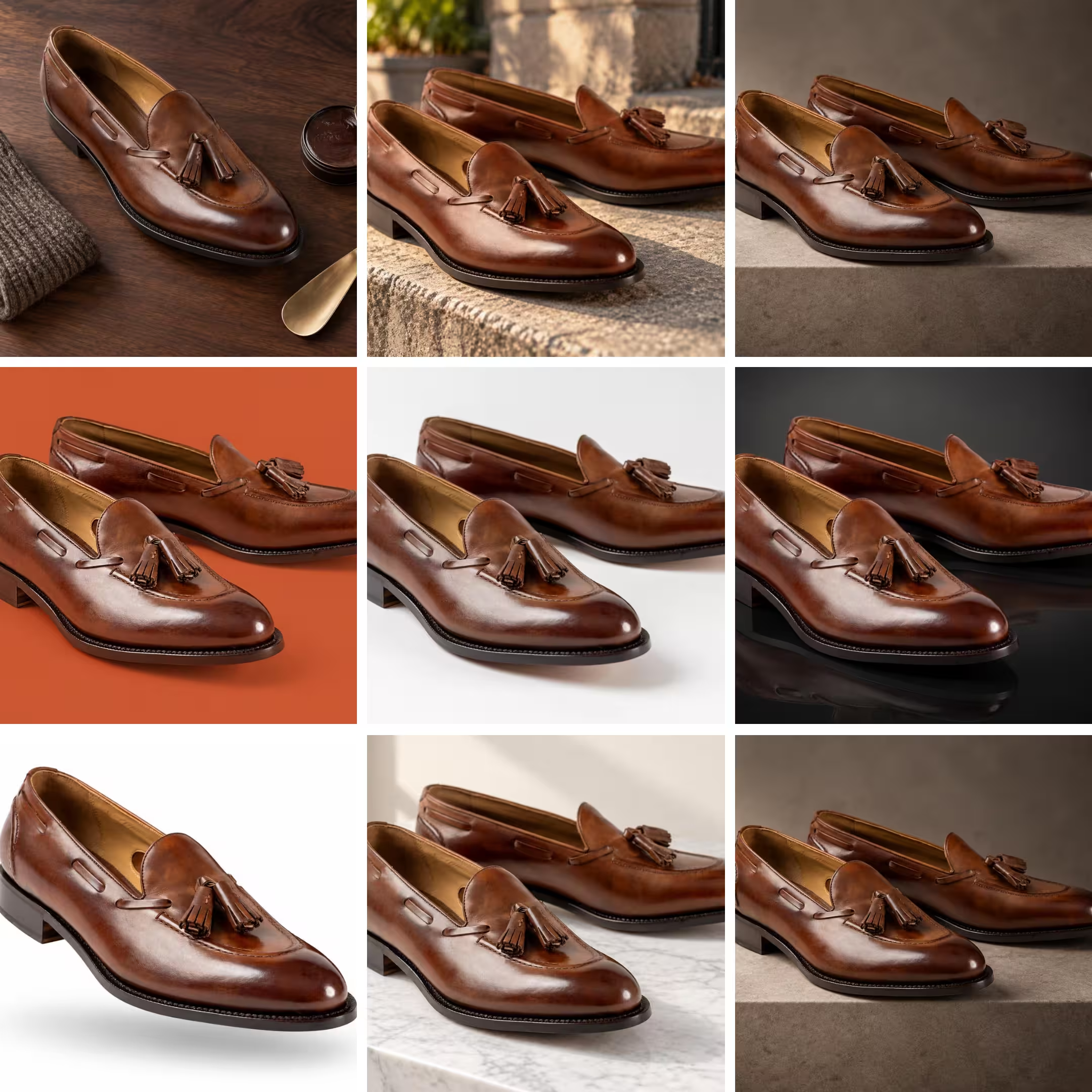
One pair of loafers. One properly lit capture session. Nine finished frames: a styled flat-lay with shoe cream and a brass shoehorn, a sunlit stone ledge, a grey studio step, orange seamless for paid social, clean white for the marketplace listing, a dark reflective surface for the trade deck, a cut-out on pure white, marble in hard morning light, and a warm neutral riser.
Produced the traditional way, that is a studio, a stylist and most of a day, repeated every time marketing wants another background or another crop. Which is why the campaign usually ships with the white-background image and everyone quietly agrees it's fine.
It isn't fine. Amazon found that moving a product out of the white void and into a real setting, a coffee mug on a kitchen counter next to a croissant rather than floating in space, lifts click-through rates more than 40% in mobile Sponsored Brands ads. In the same research, drawing on a March 2023 survey, nearly 75% of advertisers who couldn't get campaigns off the ground named building the creative as their biggest obstacle. The images that convert best are the ones teams run out of time to make.
What Magic Studio does
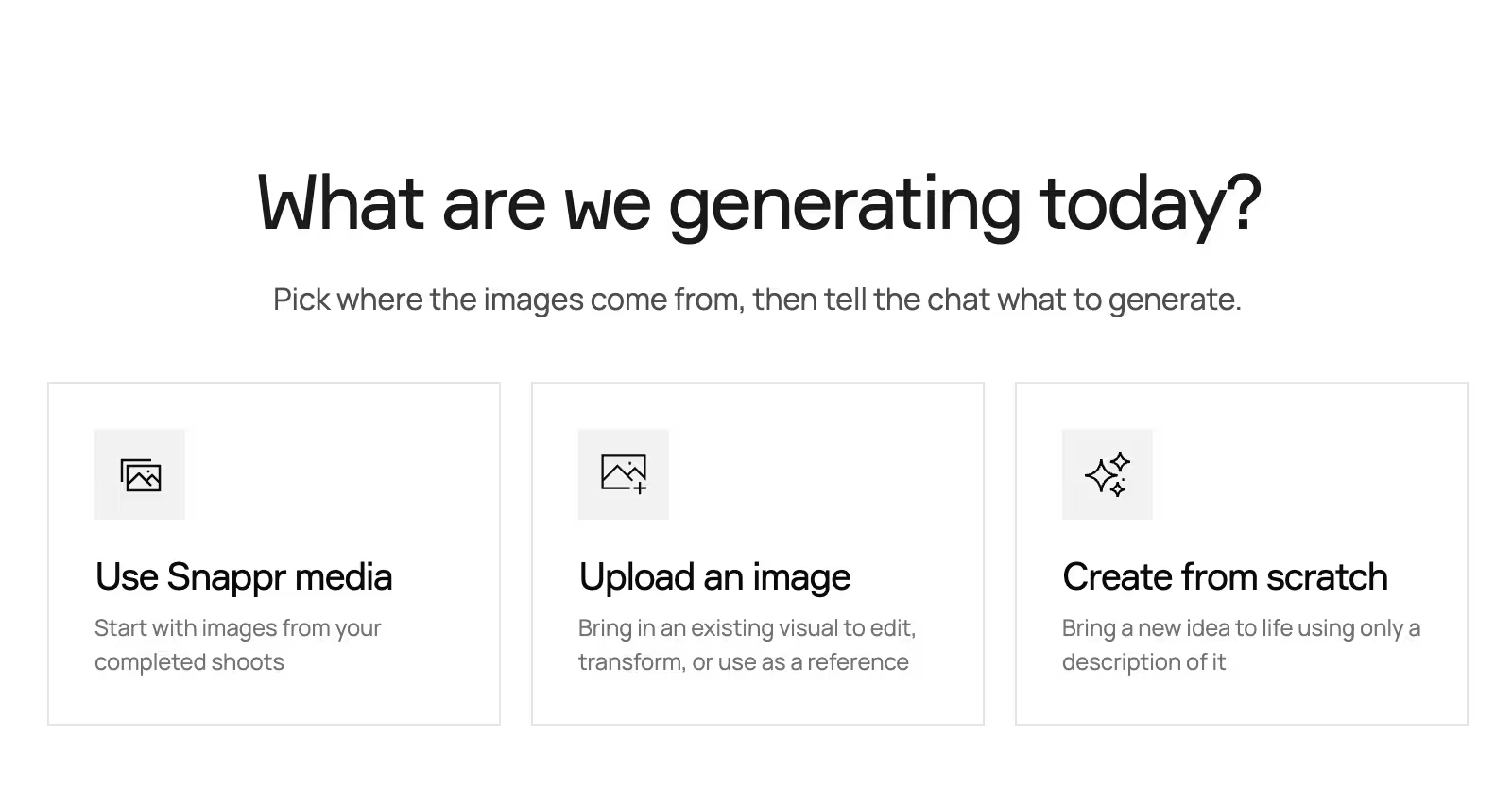
Magic Studio is Snappr's chat-and-canvas workspace for generating and editing images, and it opens by asking a single question: what are we generating today? Three answers, three different jobs.
Use Snappr media
Pick one of your completed shoots and select up to 16 delivered photos as the basis for the work. This is the option that matters for catalog teams, because every frame Studio generates is anchored to a real photograph of the real product. The loafer in all nine tiles above is the loafer that was actually photographed.
Upload an image
Bring in a visual you already own to edit, transform, or use as a reference. Useful when the source isn't a Snappr shoot: an archive product shot, a supplier image, a frame from last season's campaign.
Create from scratch
Generate from a written description alone, with no source image. Right for backgrounds, textures, and concept frames; wrong for anything where the product has to be accurate.
Inside the canvas
The workspace splits in two. Canvas on the left holds the working image plus a filmstrip of every generation in the session, so versions stack up instead of getting lost in a downloads folder. You can see the orange-seamless attempt next to the marble one and pick.
Chat on the right keeps the thread of what you asked. Brief it the way you'd brief a photographer, in plain language: place this product on a marble counter in morning light. Attach reference images to steer it. Set the aspect ratio anywhere from 21:9 down to 9:16, so the Reels crop and the homepage hero come out of the same conversation rather than a separate export step. Ask for up to four images per turn and compare them side by side.
Two exits from any generation. Download saves the frame. Request editing sends that exact generation to a Snappr pro editor, available on Pro and Enterprise accounts, for when a machine-made frame needs a human pass before it goes live.
Why the source image decides everything
Type "sneaker on a beach at sunset" into a general-purpose image generator and you get a sneaker on a beach at sunset. You don't get your sneaker. The stitching is invented, the logo is approximate, the colorway drifts half a shade, and the shopper finds out on delivery day.
That drift has a price tag. Salsify's 2026 Consumer Research report, a survey of 2,712 shoppers across the US, UK and Canada, found 45% had returned an online purchase because of incorrect or misleading information. The National Retail Federation puts 19.3% of all online sales on track to come back in 2025. Imagery that flatters a product the model has never seen feeds straight into that number. Starting from a delivered frame is the whole point, and it's the distinction we drew in our guide to what AI photo editing can and can't do.
Not just packshots
Magic is a family of tools built per vertical, and Studio's restaging works the same way outside e-commerce. It furnishes an empty bedroom for a listing, regrades a flat midday beach portrait into golden hour, and puts a shoulder bag on a model instead of on a hook. Same canvas, same chat, same rule about starting from a real frame.
The number of places each image has to perform keeps climbing, too. Adobe found traffic to U.S. retail sites from generative AI sources rose 4,700% year over year in July 2025, and 38% of the more than 5,000 U.S. consumers it surveyed had already shopped with generative AI. Marketplace listings, retail media, AI shopping answers, paid social and your own PDP each want a different crop of the same product. Our product photography pricing guide breaks down what each of those images costs to produce the traditional way.
Shoot once, generate the rest
The pattern is simple. Book one properly lit capture session, then treat the delivered gallery as a source library and generate the seasonal, regional and channel variants from it as you need them. Delivered galleries carry a Try Magic Studio banner for exactly this reason.
Free Studio generations are gifted rather than sold. Pro and Enterprise teams get 100 into a shared pot when a team member first creates a Studio job; pay-as-you-go accounts get 10 after at least one paid booking.
One compliance note. If the images are headed for Google Shopping, leave the embedded metadata alone. Google requires AI-generated images to carry the IPTC DigitalSourceType TrainedAlgorithmicMedia tag, so stripping it is a compliance problem, not a cleanup step.
Magic allowances and editing paths differ by tier, so it's worth seeing them side by side. Compare Snappr's plans and pick the one that matches how often you shoot.
Frequently asked questions
What is AI product photography?
AI product photography uses generative models to create or modify product images instead of staging every shot in a studio. The strongest results come from tools that start with a real photograph of the real product and change the setting, lighting or framing around it, rather than inventing the product from a text description.
Can AI product photography replace a real product shoot?
Not entirely. AI needs an accurate source image to stay faithful to materials, color and proportion, and that source has to be captured once. The practical split is to shoot the product properly a single time, then generate the lifestyle, seasonal and channel variants from those frames.
How does Magic Studio use my existing shoot photos?
Choosing Use Snappr media lets you pick a completed shoot and select up to 16 delivered photos as the basis for a generation or an edit. Describe the change in chat and Studio returns up to four images per turn, in whichever aspect ratio you choose.
Do I have to label AI-generated product images?
For Google Shopping, yes. Google requires images created with generative AI to retain the IPTC DigitalSourceType TrainedAlgorithmicMedia metadata tag across the image link, additional image link and lifestyle image link attributes. Other marketplaces set their own rules, so check each channel's policy first.
Sources
1. Amazon Ads: Introducing AI-powered image generation for advertising — lifestyle-context click-through lift and the advertiser creative-bottleneck survey
2. Adobe: Generative AI-powered shopping rises with traffic to U.S. retail sites — AI-sourced retail traffic growth and consumer AI shopping adoption
3. Salsify 2026 Consumer Research press release — returns caused by incorrect or misleading product information
4. National Retail Federation: Consumers expected to return nearly $850 billion in merchandise in 2025 — share of online sales returned
5. Google Merchant Center Help: AI-generated content — IPTC DigitalSourceType metadata requirement for AI-generated product images


